
CoachMate Guide — from student list to invoice
Everything CoachMate can do, step by step: student management, lesson planning with reminders, packages, progress tracking, SEPA invoices and revenue reports — all on your device.
Contents
★ Quick start — your first lesson in 5 steps
New to CoachMate? Follow these five steps and your first lesson is booked in minutes.
- Install CoachMate
Download it from the App Store and open it. No account, no cloud, no internet connection needed.
- Add a student
Tap + and enter name and contact details, or import students straight from your phone contacts.
- Plan a lesson
Open the calendar, tap +, pick the student, date, duration and fee.
- Set a reminder
Switch on the reminder and choose 30 min, 1h, 2h, 4h or 1 day before the lesson.
- Send an invoice
Open the invoices tab and generate a SEPA-QR invoice with the correct VAT.
💡 Everything stays on your phone. CoachMate has no cloud and no account — your student and financial data never leaves your device.
1 Students & contact import
Store your student data once so you can add them to lessons in a couple of taps.
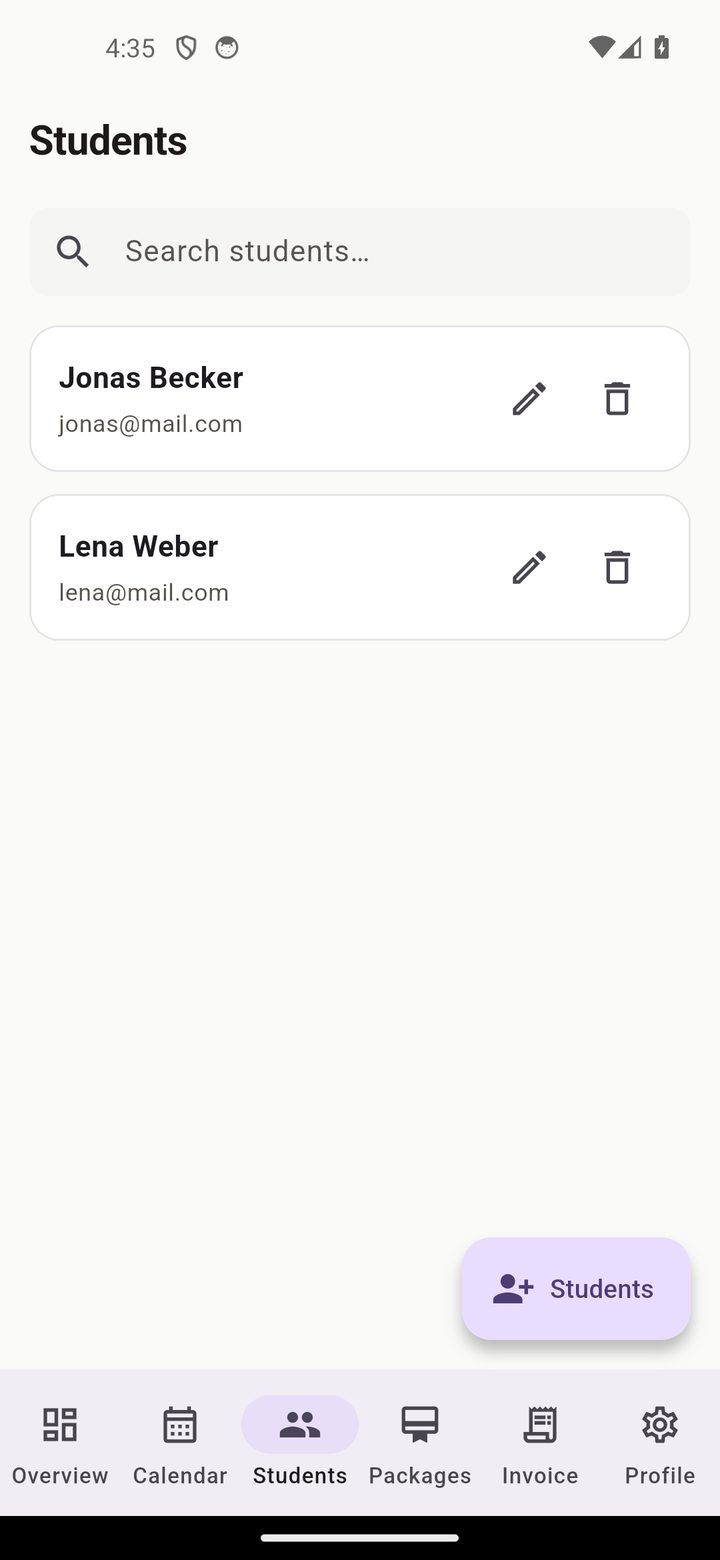
Student list
Every student with contact details and personal notes — searchable, editable, deletable.
Import from contacts
Import students directly from your phone contacts, or type them in manually.
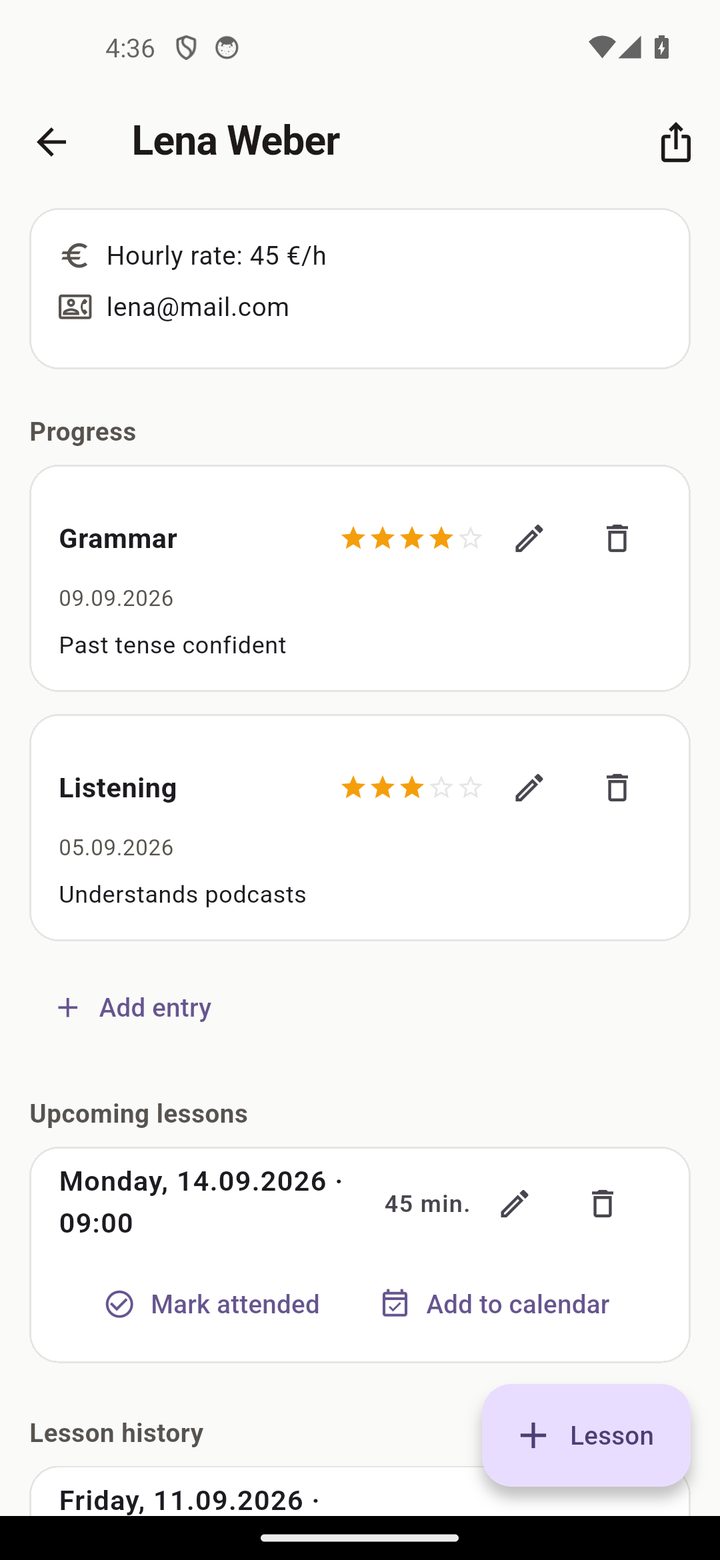
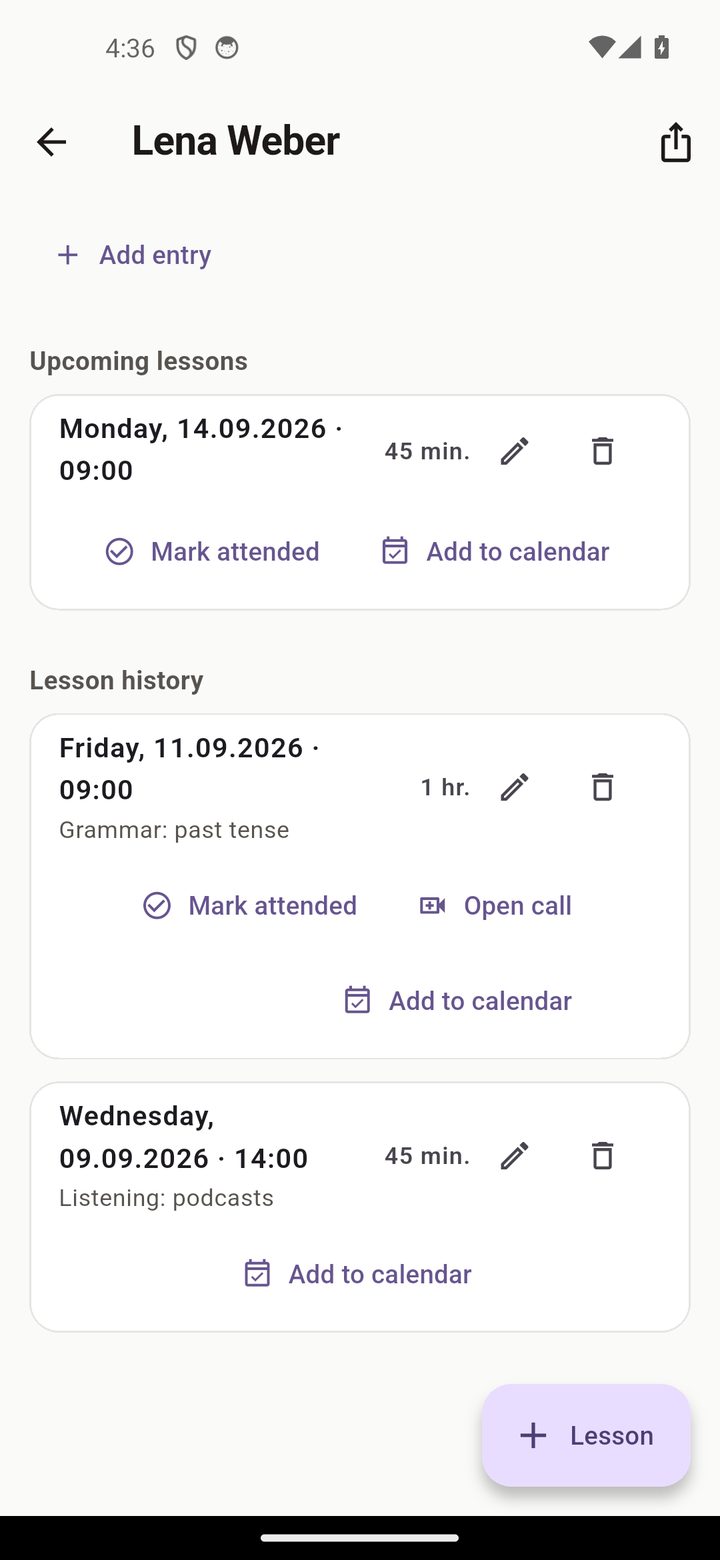
Progress & goals
Track each student's progress with a 1–5 rating chart over time.
2 Calendar, lessons & reminders
Plan lessons and let CoachMate remind you before each one.
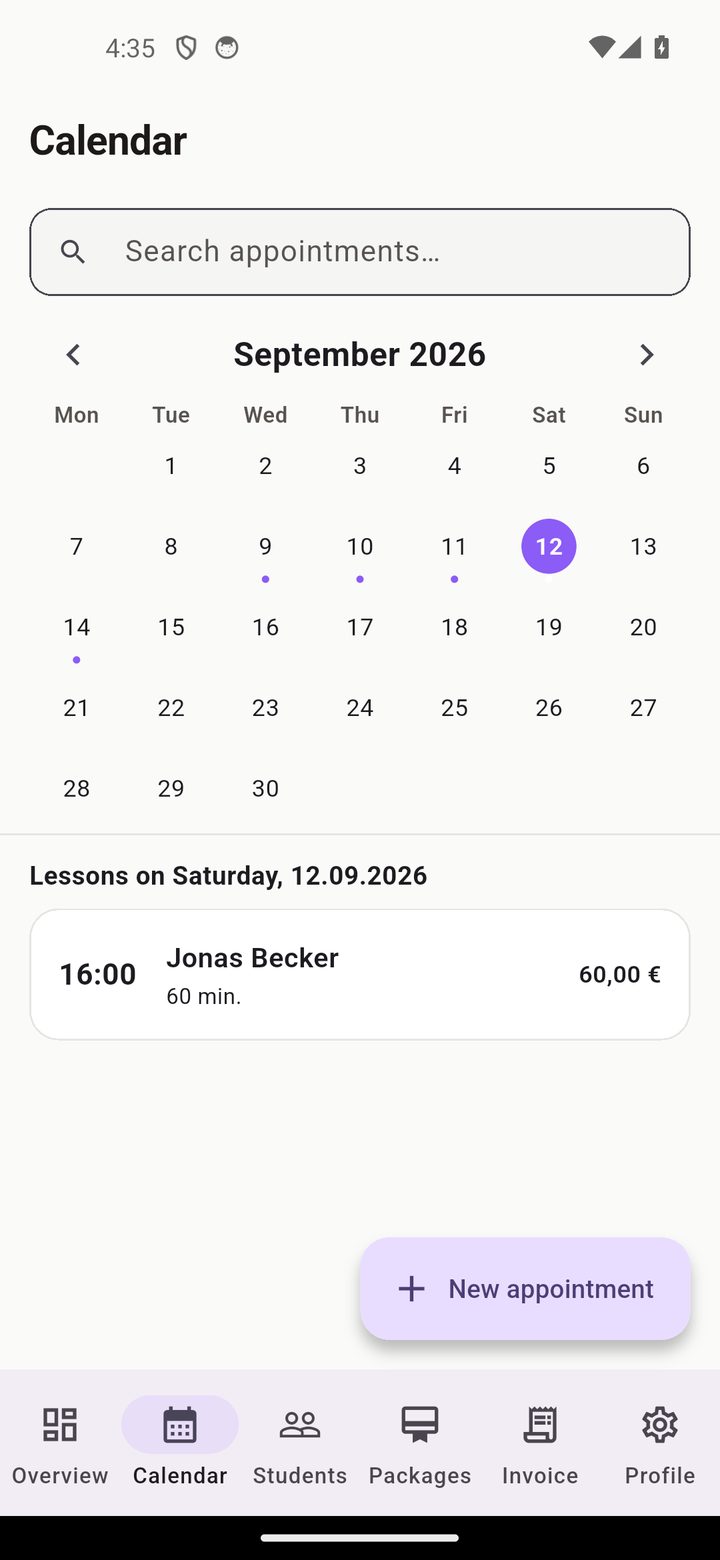
Plan a lesson
Add a lesson with date, duration and fee, and see your next lessons at a glance.
Lesson reminders
Configurable reminders — 30 min, 1h, 2h, 4h or 1 day before the lesson, generated locally.
Video-call links
Attach a Zoom, Meet or Teams link directly to the lesson.
3 Lesson packages
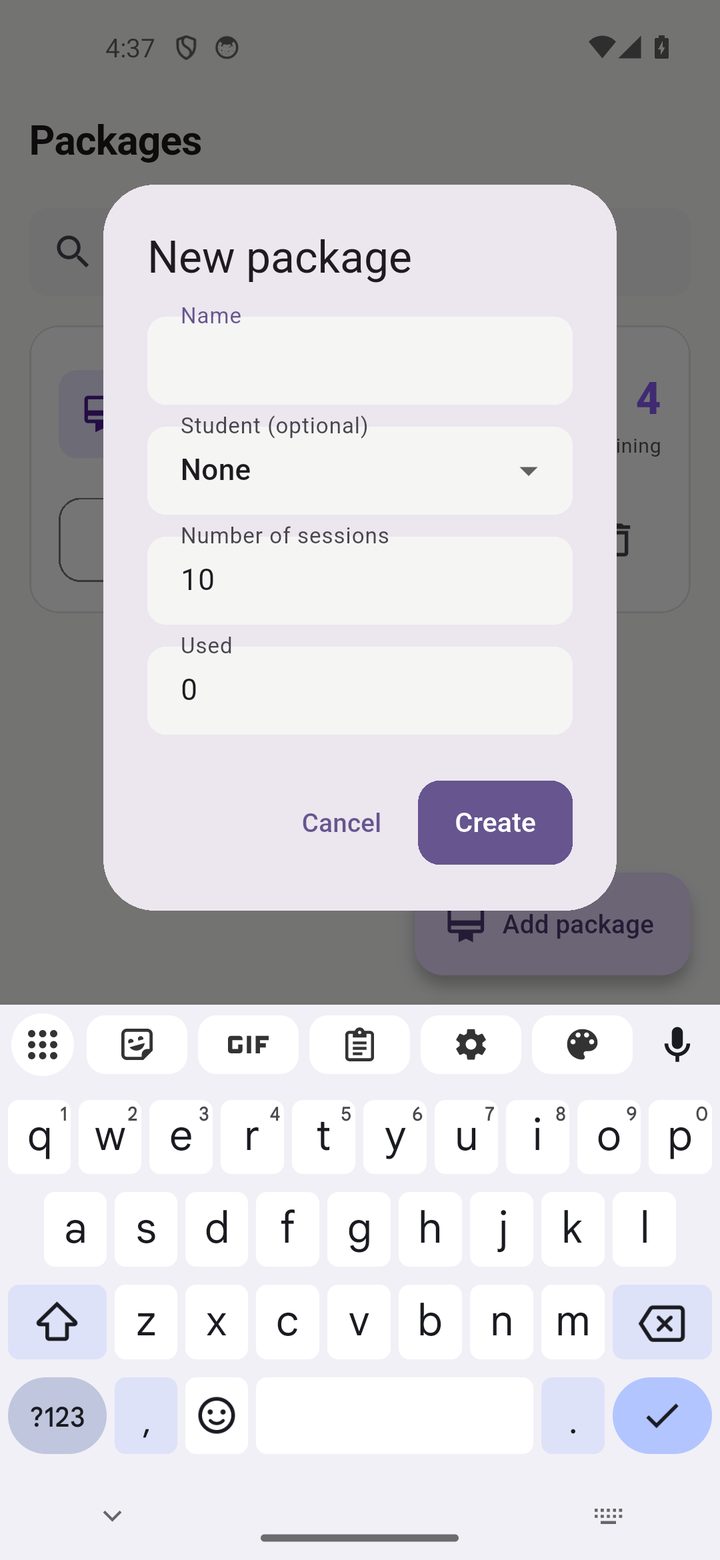
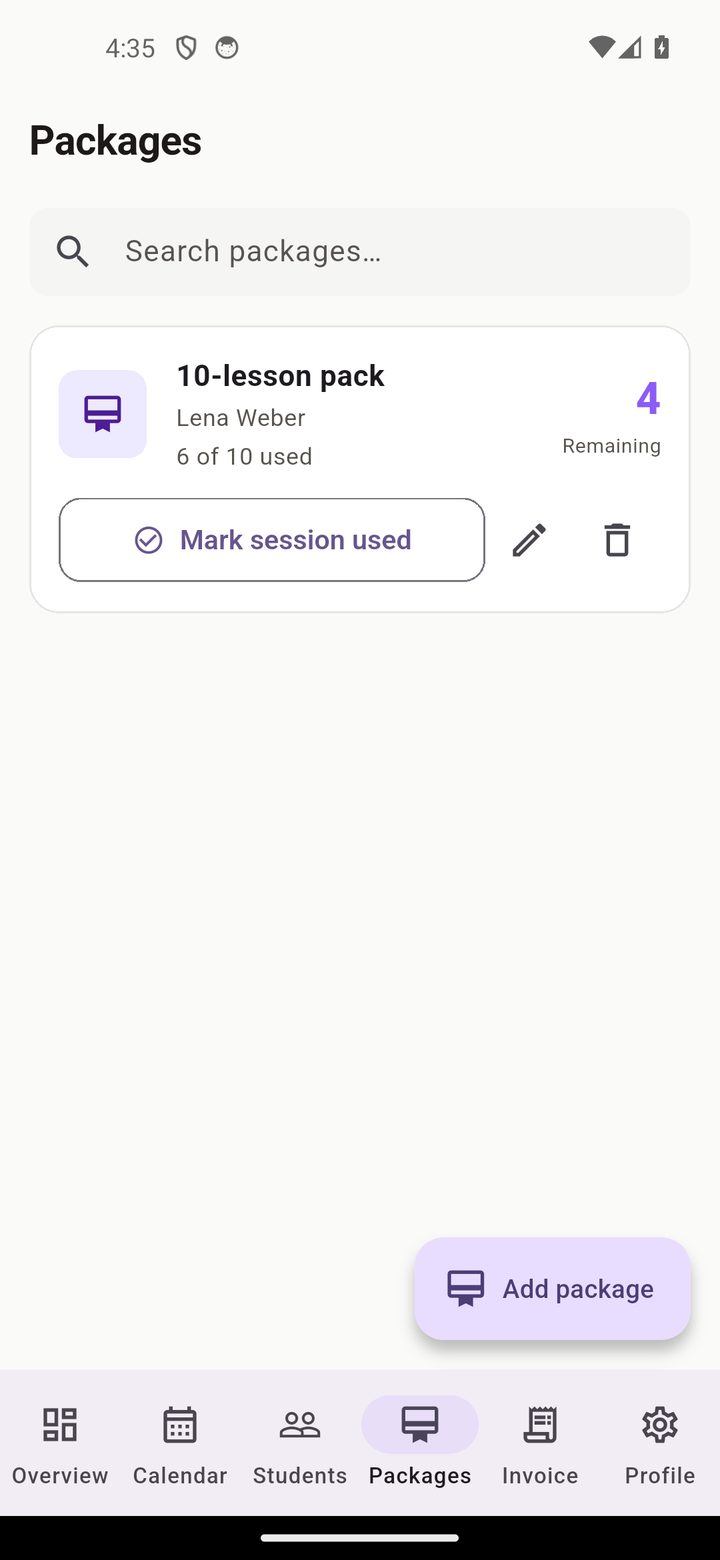
Sell pre-paid packages and let CoachMate track the remaining hours.
Remaining-hours tracking
Create a package, book lessons from it, and CoachMate decrements the remaining hours automatically.
4 Invoices & SEPA-QR
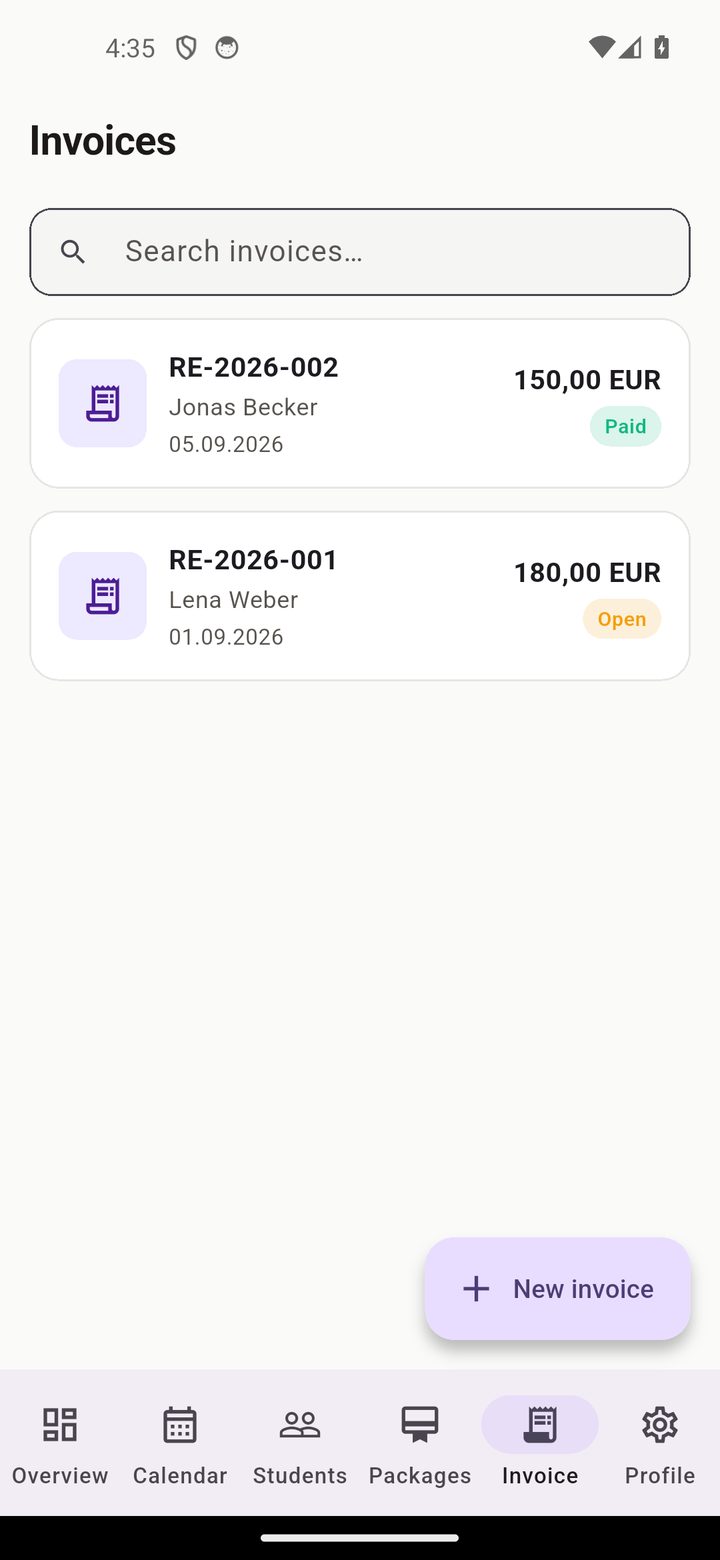
Generate EPC-compliant invoices with correct VAT for DE/AT/CH.
SEPA-QR invoice
Open/paid status, monthly revenue overview, and a clean PDF per invoice.
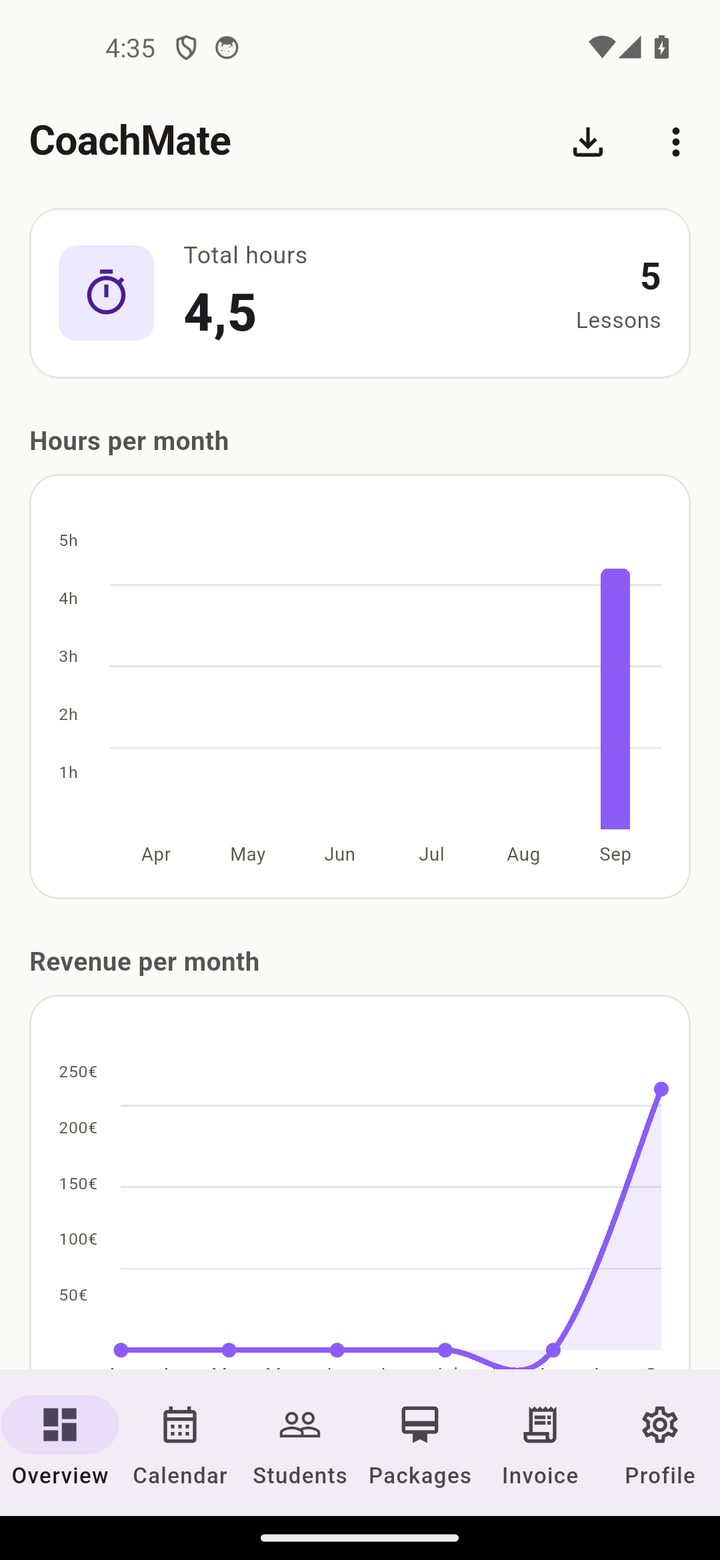
Revenue report
A monthly bar chart shows exactly what you've earned.
5 Data, backup & privacy
CoachMate keeps everything on your device — back up regularly.
Backup & restore
Create an encrypted JSON backup and restore it after a phone change.
CSV & WhatsApp
Export your data as CSV or share invoices via WhatsApp.
? FAQ
Do I need an account or internet connection?
No. CoachMate works fully offline — no account, no cloud, no GDPR worries.
Where is my student and financial data stored?
Only on your device. It never leaves your phone unless you export it yourself.
Can CoachMate remind me before a lesson?
Yes. Set a reminder 30 min, 1h, 2h, 4h or 1 day before each lesson.
Can I import students from my contacts?
Yes, import students directly from your phone's address book.
Does it create invoices?
Yes. EPC-compliant SEPA-QR invoices with correct VAT for DE/AT/CH.
How much does CoachMate cost?
CoachMate is free for up to 5 students. The planned paid tier is €7.99/month.
Ready to run your teaching — offline?
Free for 5 students, no account, no cloud. Your data stays on your phone.
Download on the App Store ▶ Android — Coming Soon All features → Privacy